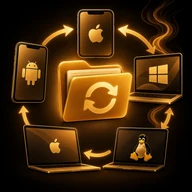
AllSend
iPhone · Android
Send photos, files and folders between nearby devices over Wi-Fi or Bluetooth — in original quality, with no account. A computer can receive a file in the browser by scanning a QR code.
Coming soon
Overview
AllSend sends photos, files and folders between nearby devices — in original quality and with no account.
Between phones
- Two phones with AllSend on the same Wi-Fi find each other automatically and send the file directly over the local network.
- Without a shared network or internet, a small batch (up to 15 MB) can go over Bluetooth.
- Photos and videos are sent as they are, without compression.
To a computer
- A computer without the app can receive a file in the browser: scan the QR code or type the short local link.
- The QR code contains only the link, not the file. The link stops working after the download.
Encrypted server link
- When the devices are not on a shared network, the file is encrypted on the phone before it is uploaded.
- The key stays in the link and is never sent to the server. The encrypted copy is deleted after the download or after a short idle time.
Free and pro
- Free: direct transfer up to 500 MB per file, through the server up to 100 MB per file, with ads.
- Pro: direct transfer up to 10 GB per file, through the server up to 1 GB per file, no ads.
- Pro is a monthly or yearly subscription.
The app follows the phone's language and is available in 14 languages, including English, Russian and Hebrew.
 Scanning — Smart Doc Scanner
 Smoke Player Dj
 My Server: SSH & FTP
 T2B Beauty Salon Booking
 T2B Admin – Salon Manager
 Smoke Radio