
Sleediter: Site Management
Manage your Ghost site from your phone: write and publish posts, add photos and tags, and moderate comments — without opening the desktop admin.

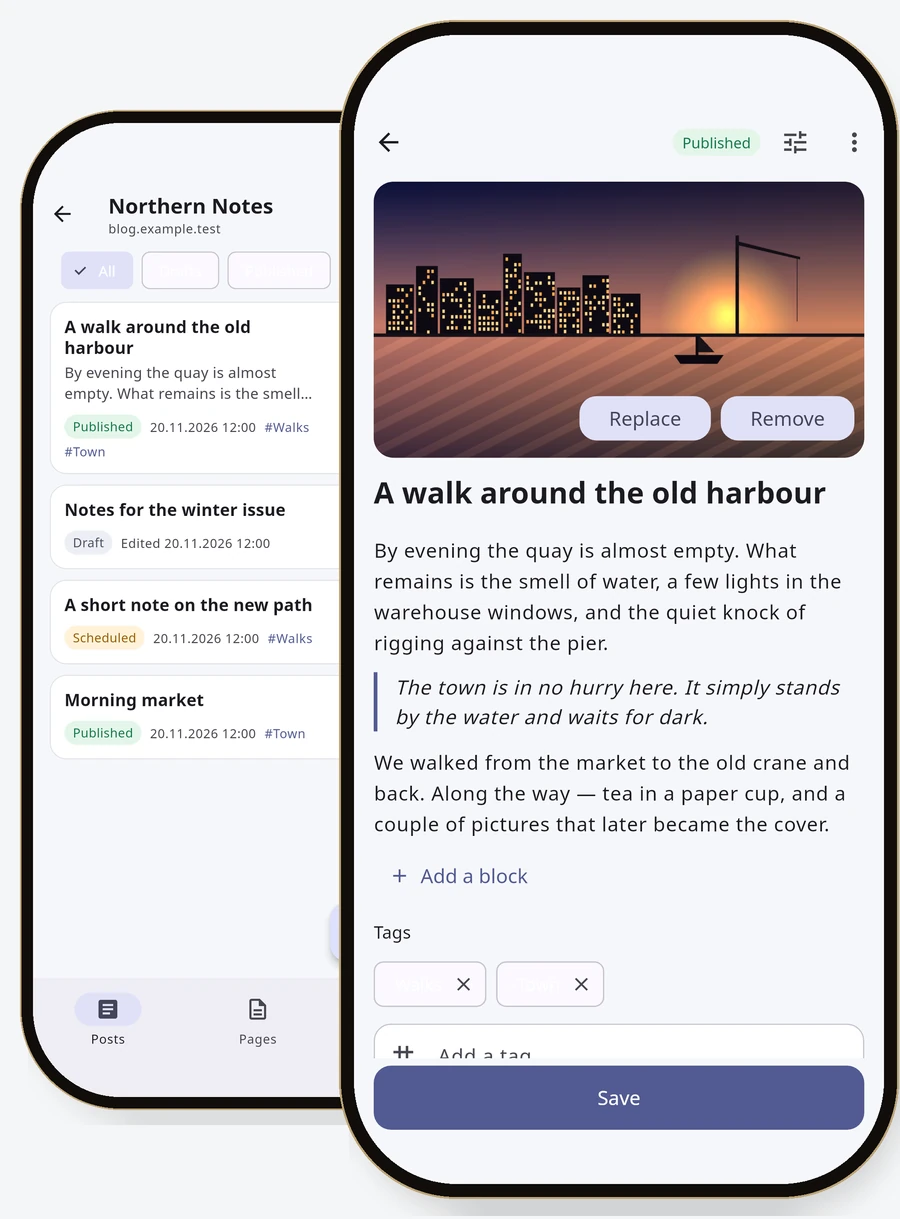
Sleediter helps you manage a Ghost site from your phone — without opening the desktop admin.
Connect your site, sign in the same way you sign in to Ghost Admin, and write posts on the go.
What you can do
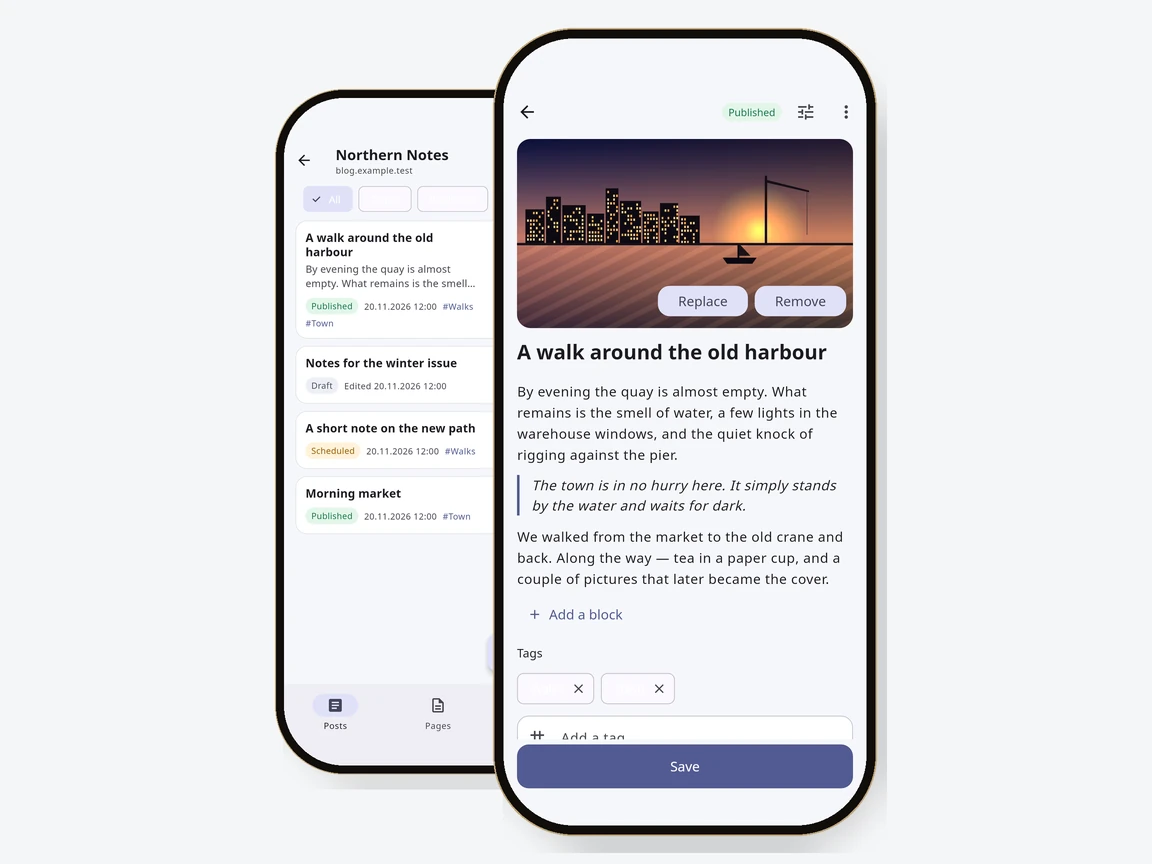
- Write and publish posts and pages, save drafts, and schedule a post to go live later.
- Add a cover image, photos in the text, lists, quotes, a divider, a button and other blocks your site supports.
- Add tags and change some site settings — title, description, logo — if your role allows it.
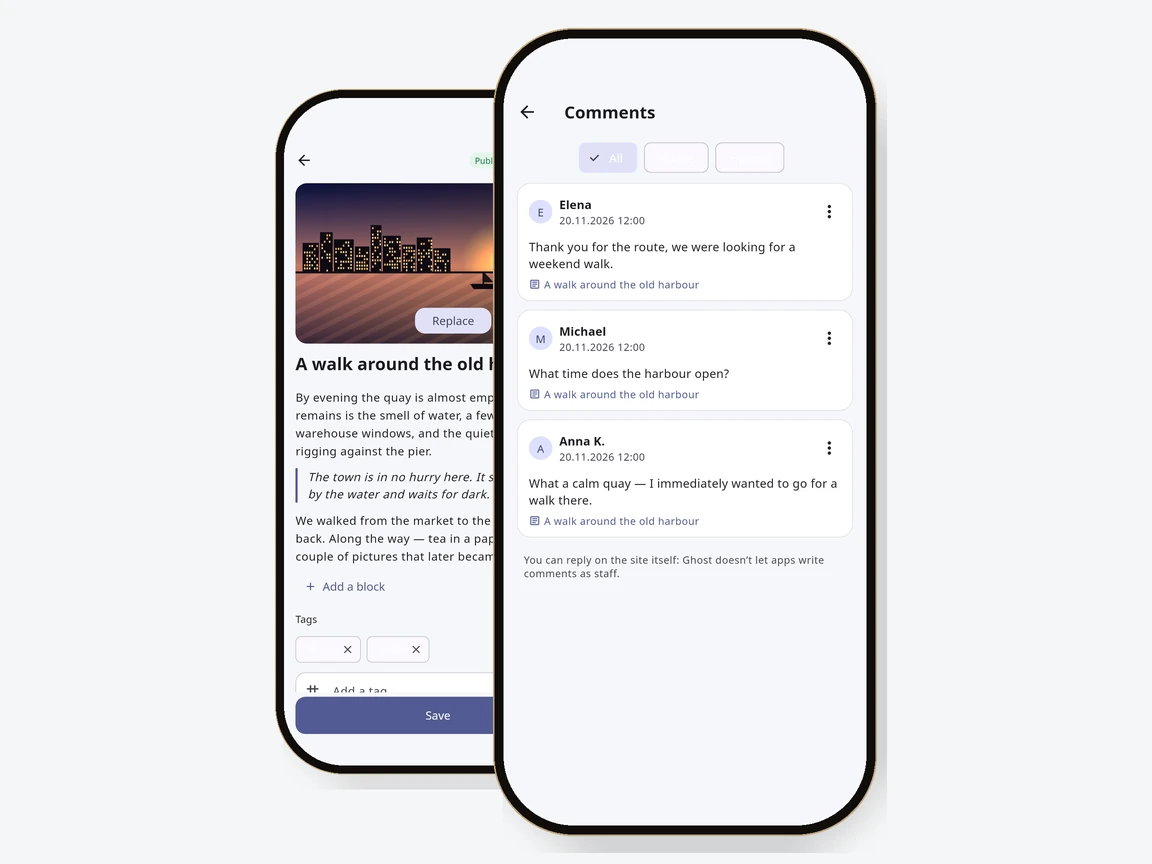
- Review comments and hide, show or delete them, if your role allows it. You cannot reply to comments from the app.
- You can connect up to three Ghost sites.
Sign-in
- Sign in with the email and password you already use in Ghost Admin. The password is not saved on the phone — only the site’s session is kept in secure storage.
- Or paste a staff access token from your Ghost profile, if that is how you prefer to sign in.
Notifications
When you open the app, it can show a badge if there are new comments or if a scheduled post has gone live. There are no background push notifications: Ghost does not send them to third-party apps, and the app does not check your site in the background.
Advertising
A small banner ad may appear at the bottom of the sites list. There are no full-screen ads. Ads are requested as non-personalised. Where the law requires it, Google’s consent form is shown first.
Languages
The app follows the language of the phone. The interface is available in 14 languages: English, Russian, Turkish, Ukrainian, Italian, German, French, Czech, Polish, Azerbaijani, Portuguese, Spanish, Hebrew and Arabic, with right-to-left layout for Hebrew and Arabic.
iPhone with iOS 15 or later, Android 8.0 or later.
 Stilvo: Ad & Post Designer
 Crosswords: Word Games
 Wkodit
 Scanning — Smart Doc Scanner
 AllSend: File Transfer
 Smoke Player Dj
 My Server: SSH & FTP
 T2B Beauty Salon Booking
 T2B Admin – Salon Manager