Stilvo: Ad & Post Designer
Stilvo makes banners, posts, flyers, invitations and business cards from your text and a single picture. Write a headline and get several ready designs in every size you need.
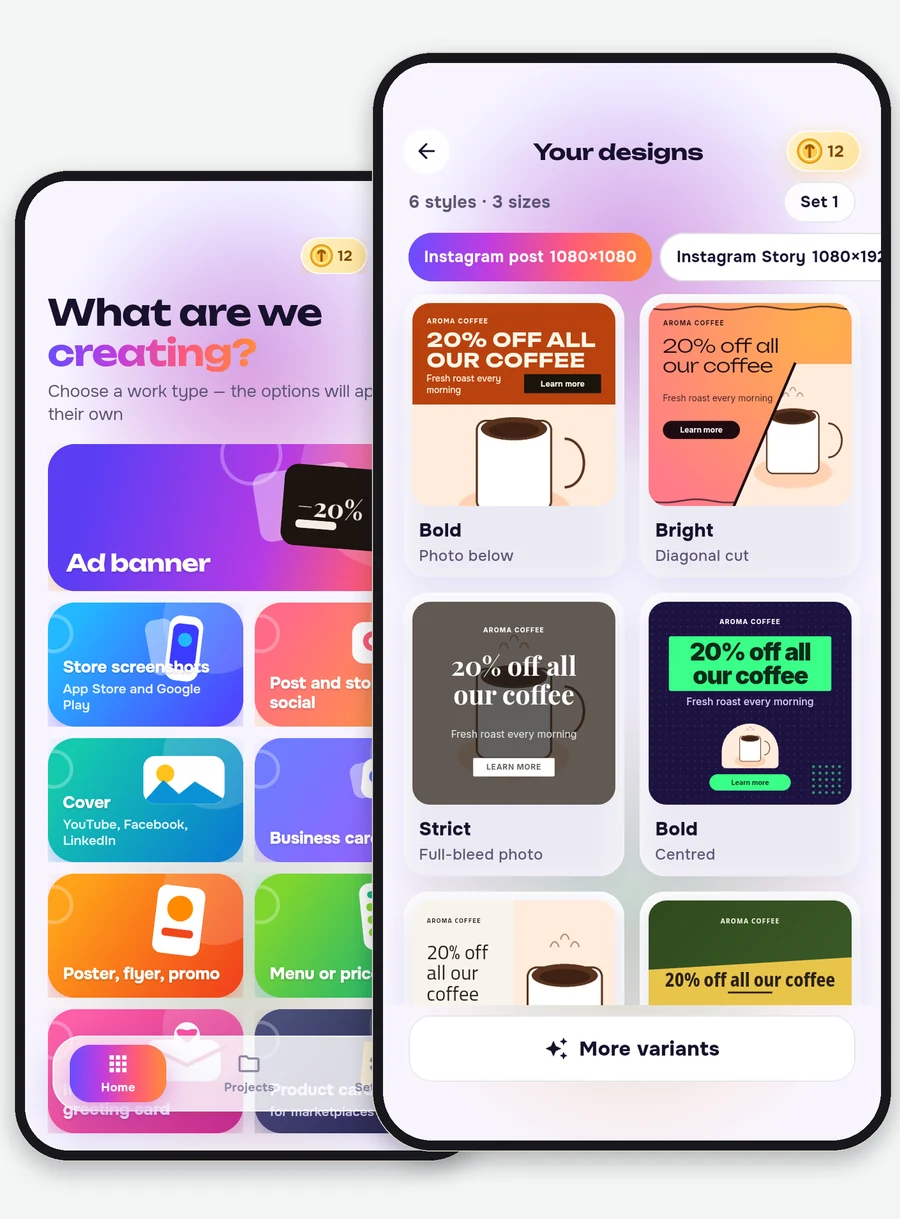
Stilvo makes ad banners, social posts, flyers, invitations and business cards from your text and a single picture — right on your phone, with no designer and no editor.
Pick what you are making, write a headline, add a photo or a website address, and you get several ready designs in different styles and sizes at once. Like one? Open it, adjust the text and colours and save it.
What you can do
- Nine kinds of work: ad banner, post and story, App Store and Google Play screenshots, cover for YouTube, Facebook and LinkedIn, business card, poster, flyer and promo, menu or price list, invitation or card, and a product card for marketplaces.
- A form with a hint under every field: what to write and why. Extra fields stay out of the way, and you can add what you need — logo, brand colours, font, price, date and place, social links.
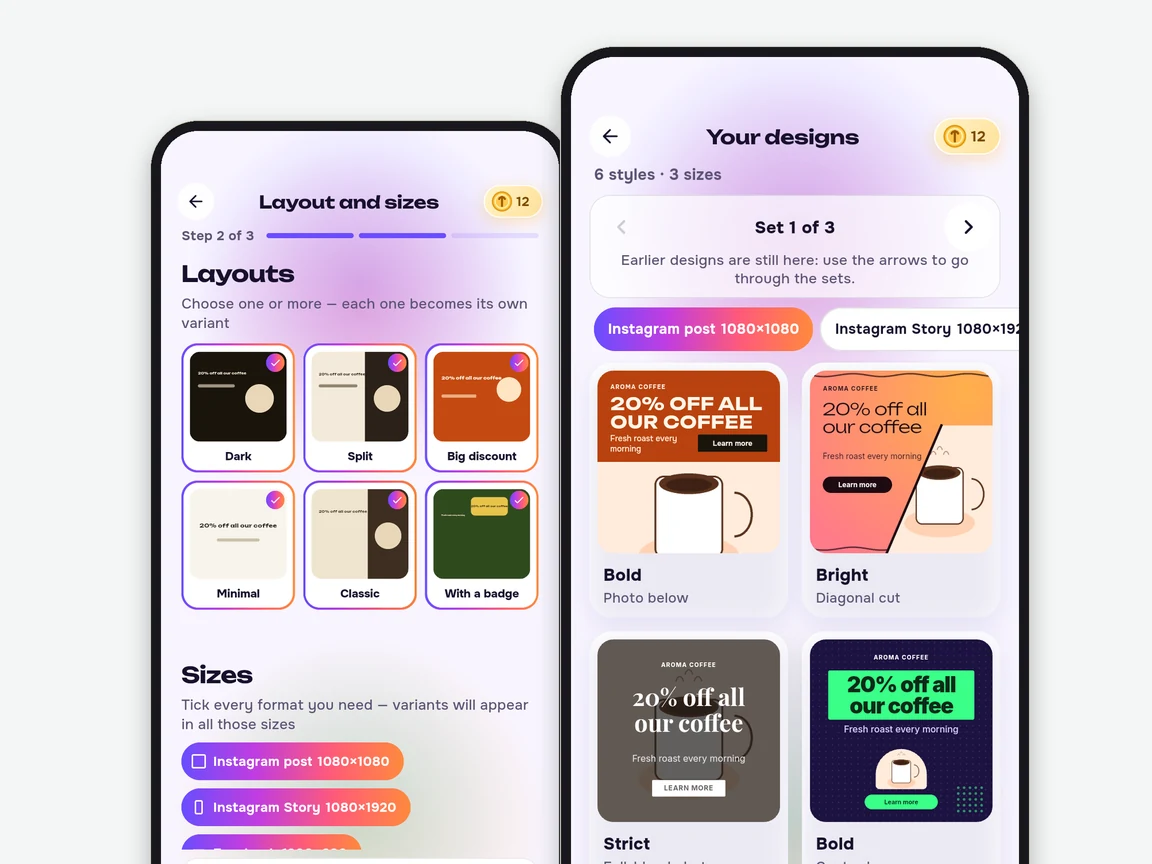
- Several layouts and several sizes in one go: from Instagram posts, stories, Google Ads and a site header to A4, A5 and a business card. You can also set your own size, from 32 to 8192 px.
- “More variants” adds a new set and keeps the earlier ones: you can move back and forth between sets.
- Quick edit: change the texts, the brand name and the colours without going back to the form.
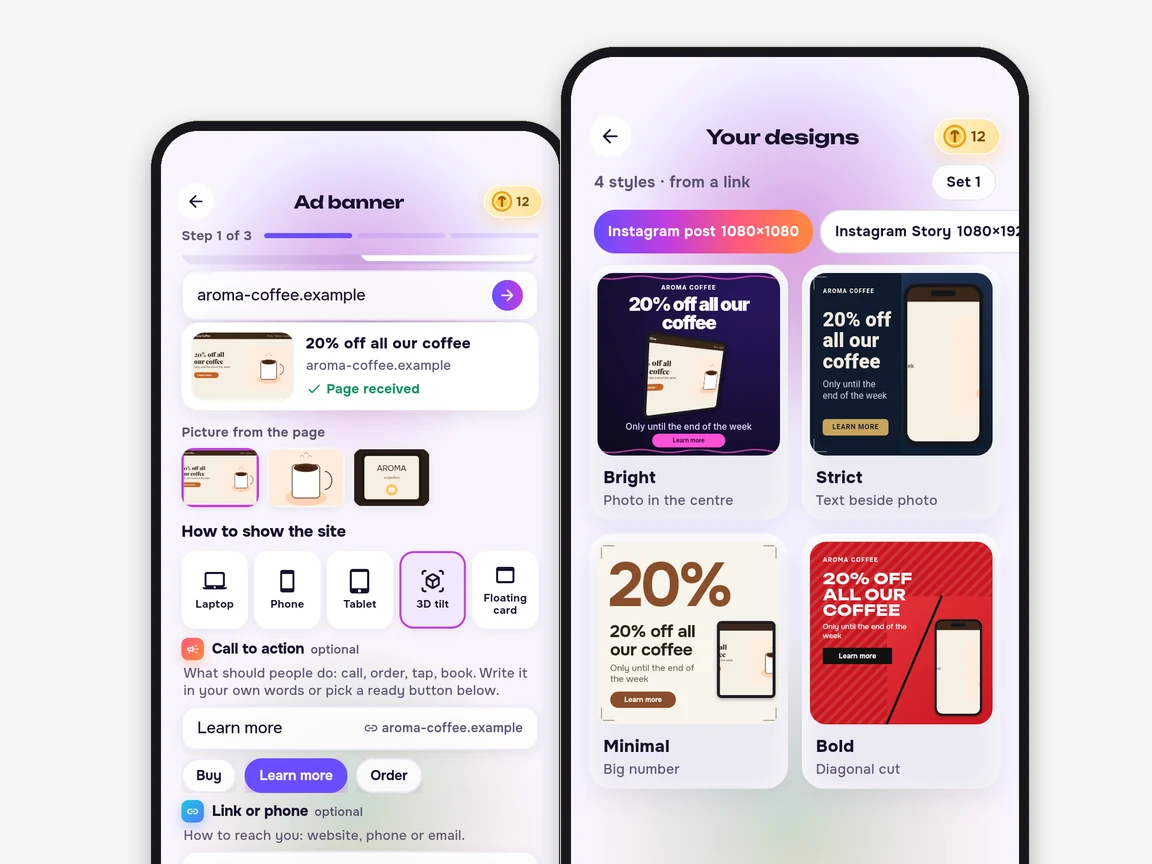
- Details from a link: give a website address and the app takes the name, description, pictures, logo, price and colours. The site can be shown on a laptop, phone or tablet screen, with a 3D tilt or as a floating card.
- AI when you want it: three options for the headline, subtitle and button in the language of your design, plus a new background — with no text, logos or people.
Saving and sharing
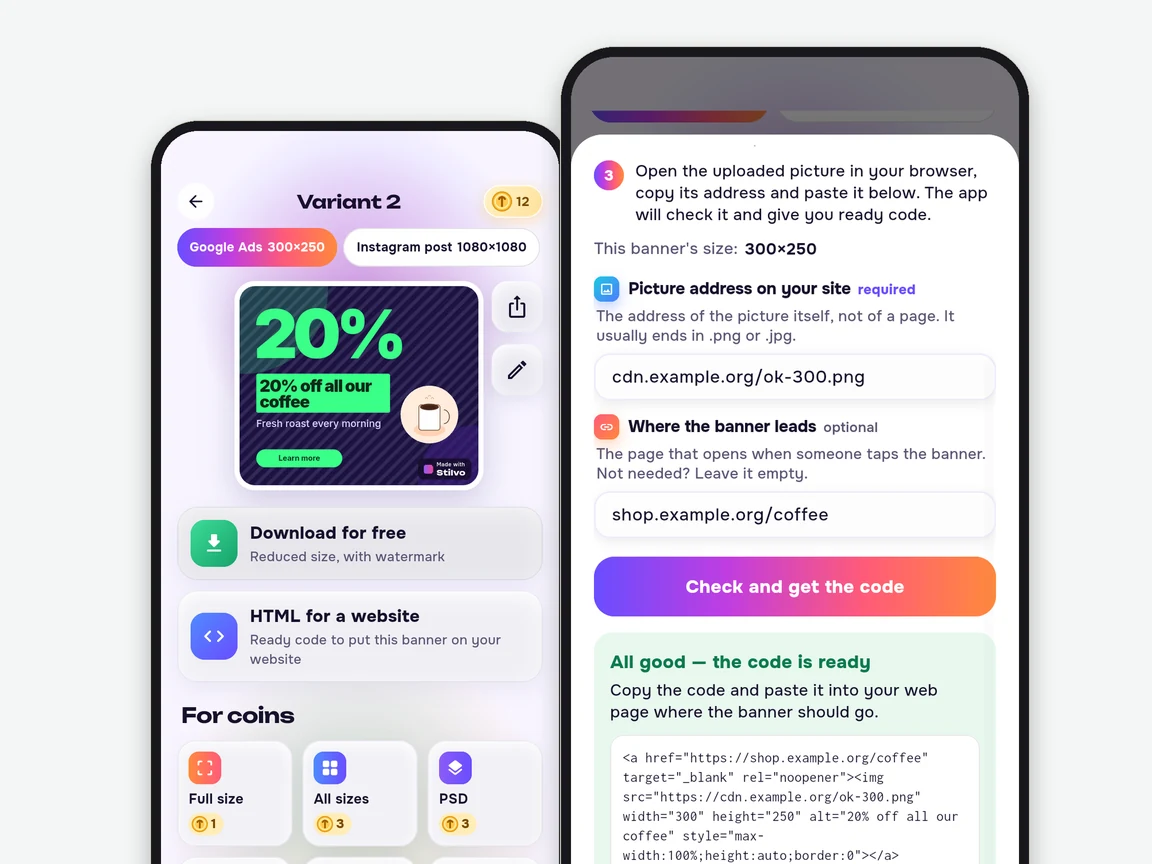
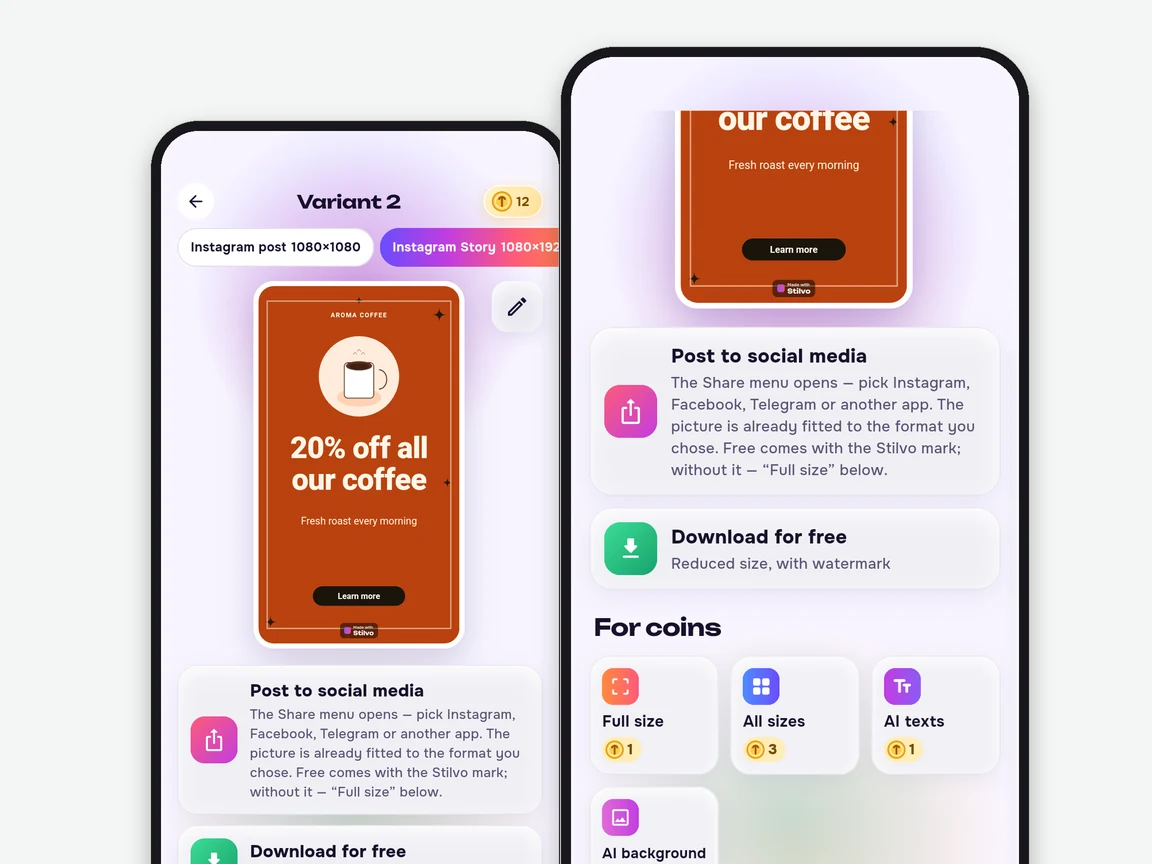
- PNG or JPG, to the gallery or to files; all chosen sizes can be saved at once.
- For a banner — ready HTML code: the app checks the picture address on your site and prepares the code you only need to paste into the page.
- For a post — a “Post to social media” button: the picture is already fitted to the right format.
- For print and designers — a layered PSD (each element on its own raster layer, text is not editable), an SVG with vector shapes and text, and a PDF at the exact size.
Projects
Drafts save themselves. In the Projects tab you can reopen a work, rename it, duplicate it or delete it. Projects and photos stay on your phone only.
Free, and beyond
Every kind of work, the variants and editing are available right away. For free, the picture is saved at a reduced size with the Stilvo mark. Full size without the mark, all sizes, PSD, SVG/PDF and AI work for coins, while Pro removes the mark and the ads. Details are in the app, under “Coins and Pro”.
Languages
The app speaks the language of your phone: English, Russian, Hebrew, Italian, French, Turkish and Ukrainian. Hebrew text is laid out right to left.
iPhone with iOS 15 or later, Android 7.0 or later.
 Crosswords: Word Games
 Sleediter: Site Management
 Wkodit
 Scanning — Smart Doc Scanner
 AllSend: File Transfer
 Smoke Player Dj
 My Server: SSH & FTP
 T2B Beauty Salon Booking
 T2B Admin – Salon Manager